The Great Debate
For decades, converting Word documents to HTML meant installing desktop software. Today, online tools offer compelling advantages. But which is right for you?
Convenience
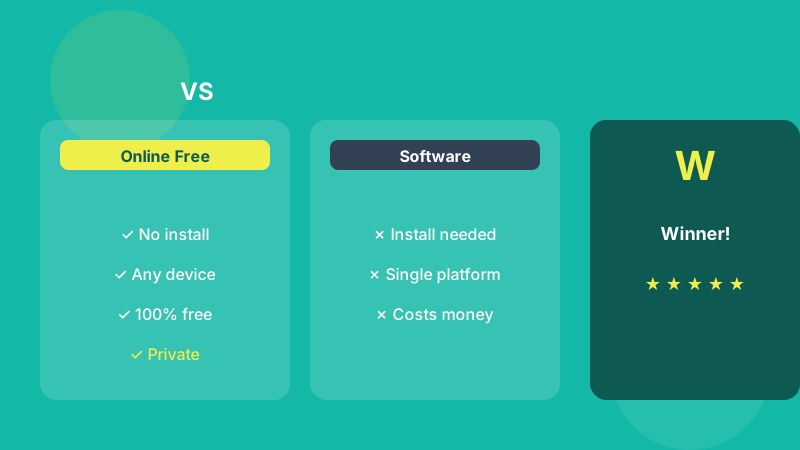
Online tools require zero installation. Open your browser, visit wordconverthtml.com, and start converting immediately. Desktop software must be downloaded, installed, and updated.
Cross-Platform Access
Online tools work on Windows, Mac, Linux, and mobile devices using any browser. Desktop software is often platform-specific, locking you into one operating system.
Privacy Comparison
Modern browser-based tools like WordConvertHTML are actually more private than desktop software because they process everything locally with no server interaction. Desktop software may still phone home with analytics.
Cost
WordConvertHTML is 100% free. Professional desktop software for HTML conversion often costs hundreds of dollars per license, with additional upgrade fees.
Output Quality
The quality of the HTML depends less on where the tool runs and more on how well it cleans. Word's own "Save as Web Page" keeps most of its styling in the file. A converter with dedicated cleaning tools lets you decide how much of that to strip, which is what makes the result usable on a real website.
When Desktop Software Still Makes Sense
There are cases where installed software is the better tool. If you need to convert hundreds of files in one go, or run conversion automatically as part of a publishing pipeline, a command-line tool such as Pandoc is built for that. The same goes for computers that are not allowed to connect to the internet at all.
The Verdict
For 99% of users, a free online browser-based converter is the better choice. It is faster, more convenient, more private, and completely free. Try WordConvertHTML today and experience the difference.